I found a great deal on a pair of Tapo C246D cameras recently and couldn’t resist picking them up. They are these dual-lens “HybridCams” that combine a wide-angle view with a motorized telephoto lens in one unit. Getting them integrated into Frigate turned out to be a fun little project, mostly because of some specific authentication quirks and how the new Frigate 0.17 features seem to be acting up.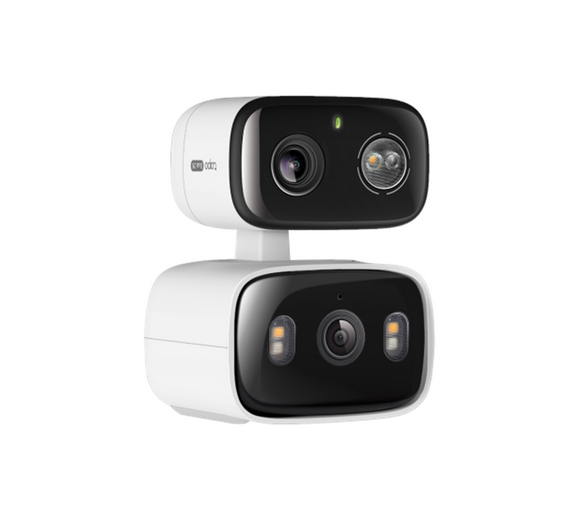
Camera Account setup
The first thing you need to know, and the most common point of failure, is that you can’t use your TP-Link cloud credentials for RTSP. You have to open the Tapo App, go to Settings, then Advanced Settings, and create a dedicated Camera Account. This gives you a local username and password specifically for NVR access.
Before touching any YAML, I always verify the streams in VLC to make sure the credentials and network path are actually working.
- Wide-Angle (Main):
rtsp://user:[email protected]:554/stream1 - Telephoto:
rtsp://user:[email protected]:554/stream6
Fixing the Frigate Tapo “wrong user/pass” error
Tapo cameras are notoriously picky about the RTSP handshake. Even with the right credentials, go2rtc would often get stuck in a loop, throwing a Frigate Tapo “wrong user/pass” error or a 401 Unauthorized status. The solution I found is to use the ffmpeg: wrapper in the go2rtc config. This forces the connection to use the ffmpeg engine, which is much more robust and handles the Tapo handshake without complaining.
I also defined separate HD and SD streams to keep the resolution mapping clean:
go2rtc:
  streams:
    tapo_wide_hd:
      - "ffmpeg:rtsp://user:[email protected]:554/stream1#video=copy#audio=copy"
    tapo_wide_sd:
      - "ffmpeg:rtsp://user:[email protected]:554/stream2#video=copy"
    tapo_tele_hd:
      - "ffmpeg:rtsp://user:[email protected]:554/stream6#video=copy"
    tapo_tele_sd:
      - "ffmpeg:rtsp://user:[email protected]:554/stream7#video=copy"
Once that’s in place, you just point your Frigate camera inputs to the local go2rtc addresses. This ensures Frigate only makes one stable connection to the camera per lens, which is much better for stability.
Frigate 0.17 and AI instability
After the jump to Frigate 0.17, I ran into some “Fatal Python error: Segmentation fault” issues when the new AI features were active. I’m running an i5-6600, which is plenty for most things, but something in the current implementation of the newer features is causing a crash. It might be a driver conflict or just a bug in how the new instruction sets are being handled on this architecture.
To keep the system from crashing, I had to disable these “enrichment” features in the global config for now:
semantic_search:
  enabled: false
face_recognition:
  enabled: false
lpr:
  enabled: false
One small tip, if you’ve tried too many times and the camera keeps giving you 401 errors despite the password being correct, just pull the power. These cameras often have a temporary lockout after failed attempts, and a physical reboot clears it right up.